

If you have an RV and love hitting the open road, staying connected is probably a big deal for you. Cell service is spotty in plenty of beautiful remote places, and old school satellite dishes often feel like more of a hassle than they’re worth. Starlink is shaking things up by offering fast satellite internet that’s easy to take anywhere. I’m sharing what I’ve learned so you can decide if it’s time to swap that bulky dish for Starlink in your RV.
Switching from Traditional Satellite to Starlink: What Changes?
Traditional satellite dishes have been the go-to for RV owners who want TV or spotty internet in remote spots. But anyone who’s fumbled around trying to aim one knows it can be a pain—lining up the dish just right, waiting for a rain cloud to pass, and hoping for a decent signal. They’re also pretty bulky and not exactly plug and play, especially if you like to move around a lot.
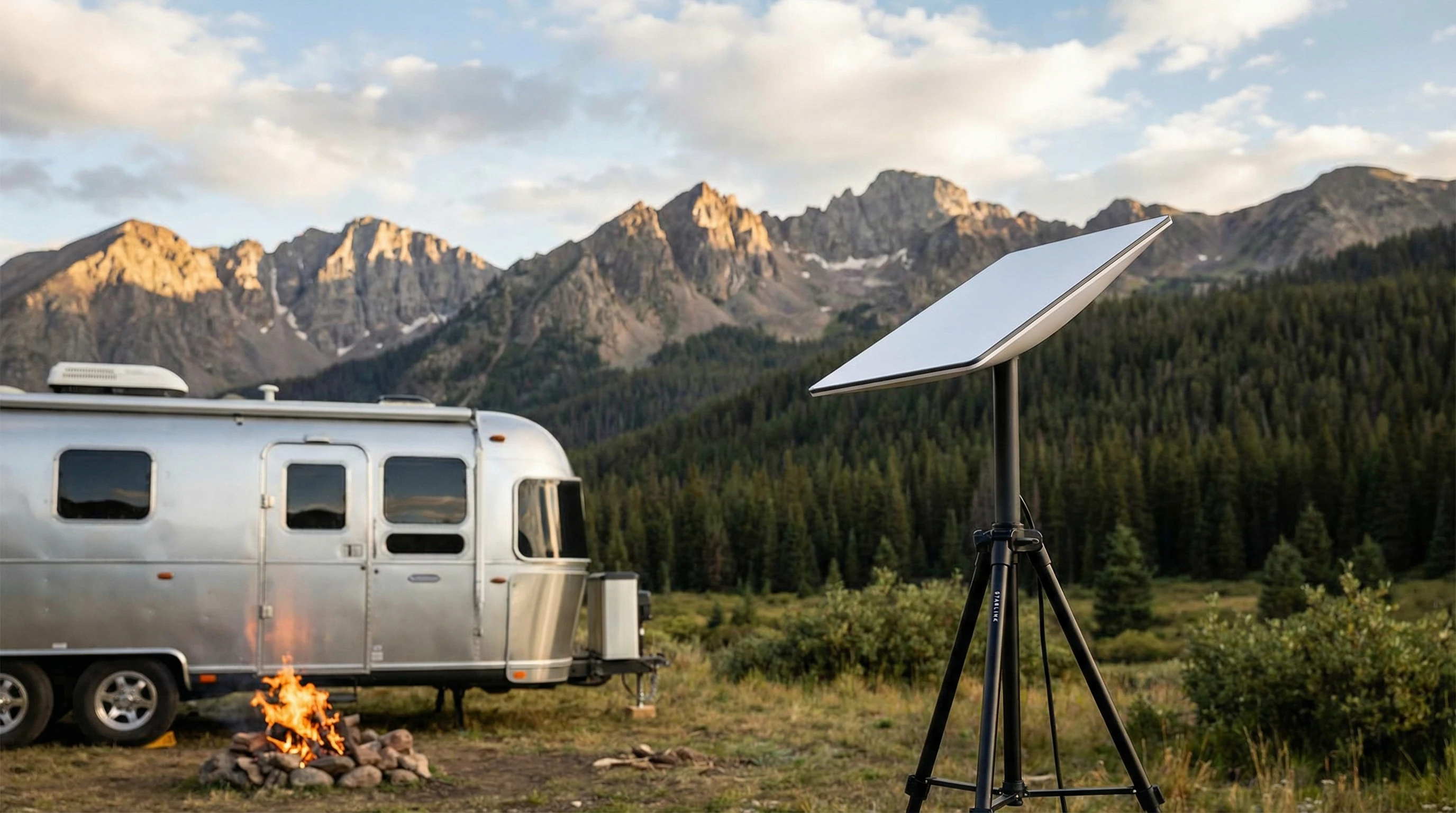
Starlink works differently. You get a dish (called “Dishy” by folks in the community) that finds satellites automatically, so you don’t have to do any precise aiming. It’s made for internet, not just TV. Speeds often rival what I get in town, and you don’t lose your connection every time you drive under a tree or a cloud rolls in. The system is portable and designed with travelers in mind, so you can pack it up and move camp with minimal hassle.
Why Starlink is Gaining Traction with RVers
Starlink’s popularity in the RV world keeps growing, and there’s a good reason for that. Here’s what I find most RVers say stands out:
- Consistent Speeds: Download and upload speeds are usually fast enough for video calls, streaming movies, and even remote work. I’ve seen speeds between 20 Mbps to over 100 Mbps, which is way better than old satellite or patchy 4G.
- True Portability: The entire kit (dish, cable, router) packs up small. Move to a new campground, plug it in, and it’ll point itself. It’s way easier than aiming a dish manually.
- Broad Coverage: Starlink works in spots where cell signal barely registers. That’s a game changer if you boondock or camp way off grid.
- Simple Setup: Most people get it working within 15-20 minutes. There’s no need for a professional installer.
- No Long Term Contracts: You can pause the service when you’re not traveling, perfect for seasonal RVers.
There’s a growing sense that internet doesn’t have to be a hassle just because you want to escape to the woods or the desert for a while. In fact, fast internet is becoming as much a part of RV life as solar power or leveling blocks, making it easier to work, stream, or keep in touch wherever you go.
Breaking Down the Starlink Hardware
The hardware essentials for Starlink are pretty straightforward. When you order, you get:
- Dishy: The satellite dish itself automatically orients to find the best signal.
- Router: Supplies your WiFi network, so your laptop and smart devices can connect.
- Power cable and stand: Everything you need is in the box; just supply your own extension cord or power solution if camping off grid.
They also sell optional mounting kits if you want to attach Dishy to your RV roof, though a lot of folks just set it on the ground near the rig for more flexibility while camped. The included stand works well in most conditions. For those who have larger rigs, having the ability to shift the dish around for the best sky view is a huge plus.
Setting Up Starlink at the Campsite
Getting Starlink going isn’t tricky, even for folks who aren’t tech experts. Here’s a quick rundown of the steps I follow when setting up at a new campsite:
- Find a Clear Spot: Starlink works best with a clear view of the sky. I avoid trees, tall brush, or anything else overhead.
- Plug Everything In: Plug the dish into the router using the included cable, then connect the router to a power source. If I’m on solar, I check that my batteries are up first.
- Wait for Startup: It takes anywhere from 5 to 15 minutes for the dish to fine tune and lock onto satellites. When the light is steady, I’m good to go.
- Connect Devices: Using the Starlink app or just looking for the WiFi name, I join the network and start browsing.
No more fiddling with aiming dials or climbing up on your RV roof with a wrench. Super handy, especially after a long travel day. The app also helps check if anything might block your signal, making the process even smoother for new users.
Starlink RV Plans: How They Work and What They Cost
Starlink offers a dedicated RV plan (now often called “Roam”), and the way it works is pretty straightforward. Here are the basics:
- Price: As of early 2024, the service costs about $150/month in the US for regional roaming, with a one time hardware fee (around $599 for the standard dish). The price may be slightly higher for global mobility options.
- Flexibility: You can pause and restart service each month through the app. This is super useful for folks who use the RV seasonally or take breaks from travel.
- Priority: In busy areas, stationary users with residential service get higher priority than RV/roaming users. For most campers though, speeds are solid unless you’re in a packed national park over a holiday weekend.
For the most up to date plan details, the official Starlink RV page stays updated on pricing, plan changes, and new features.
Where Starlink Works Best (and Where It Struggles)
I’ve used Starlink in a bunch of different places, and some locations work better than others. Here’s how it shakes out:
- Wide Open Spaces: Starlink shines in deserts, plains, and big open fields with few trees or buildings. National forests and remote land managed by the Bureau of Land Management are where it really comes in handy.
- Mountainous Terrain or Dense Forests: Anything blocking the dish’s view of the sky can cause dropouts or slower speeds. Sometimes moving the dish even a few yards makes a big difference.
- Busy Campgrounds: In high demand spots with lots of Starlink users, internet can slow down during peak hours. It’s still usually faster than cell service, but not always super fast if the campground is packed.
Even with a few weak spots, Starlink does a way better job than anything I’ve seen over cellular or old satellite systems, especially in far flung places. You get the freedom to travel without constantly worrying about finding the next WiFi hotspot or running out of cell data, which is a huge boost for longer trips.
Things To Consider Before Making the Switch
Swapping out your satellite dish for Starlink sounds tempting, but there are a few things worth thinking about before you leap in:
- Power Usage: Starlink needs a steady source of electricity. The dish and router draw about 50 to 75 watts combined, which adds up on solar or limited generator setups.
- Initial Cost: Startup costs are on the high side. Expect to pay $600 or more up front before monthly service fees. That upfront investment pays off if you travel a lot, but may not be worth it for only a couple of trips per year.
- Weather Sensitivity: Heavy snow, thick cloud cover, or lots of trees overhead can disrupt service. Short outages happen but usually recover in a few minutes.
- Data Use: There are currently no strict data caps, but excessive usage could result in slower speeds during congestion for RV plans. Most casual users don’t notice a difference.
Power Solutions on the Road
Keeping Starlink running means thinking ahead about your power setup. It’s not a huge draw, but if you’re fully off grid every night or your RV batteries are tiny, you may need to upgrade. I know plenty of people who added a small inverter or a few extra solar panels to keep up. If you often camp at powered sites, it’s usually smooth sailing. Planning your battery use and solar array becomes much more important when you have an extra device drawing continuous power.
Dealing with Weather and Obstacles
Rain and snow aren’t deal breakers, but placing the dish for maximum sky exposure does take a bit of planning. Sometimes I move the dish to a clearing or even put it on a short pole a few feet away from the RV. Starlink will melt off light snow, but it’s worth checking after a storm to keep it clear. For really heavy snow, some folks use a broom to clear off the dish one more time to help signal stability. Setting the dish in the open really helps you get the most out of your investment, no matter the season.
Living the Starlink RV Life: Real World Experiences
I’ve met a bunch of RVers, and spent plenty of time in online communities, who happily ditched satellite TV and cellular boosters after switching to Starlink. Here’s what stands out from stories I’ve heard and my own road time:
- Remote Work: Zoom calls for work and video streaming in the middle of nowhere, with far less buffering and frustration. Folks working as digital nomads, online tutors, or remote techies really appreciate this upgrade.
- Binge Streaming: Being able to watch Netflix or upload travel vlogs even when totally off grid opens up new entertainment options. Kids and teens are excited to have their YouTube or social media access just like back home.
- Staying Connected: Messaging friends and family, keeping up with maps, or just browsing when there’s no cell signal. Parents with college age kids or folks traveling solo like having that extra level of connection and safety.
- No More Channel Scanning: Lots of people don’t even miss their satellite TV subscriptions, thanks to streaming and more reliable internet. Services like Hulu, Disney+, and Amazon Prime are available wherever Starlink works, adding more enjoyment to your camping trips.
The peace of mind that comes from knowing you always have a backup connection, even in some of North America’s wildest spaces, is a night and day difference for fulltimers and weekenders alike.
RV Specific Accessories and Upgrades for Starlink
If you want to get the most from Starlink in your RV, there are a few smart add ons worth checking out:
- Mounting Kits: Roof mounts keep Dishy out of the way, while some RVers prefer tripods or pole mounts for flexibility.
- Longer Power/Extension Cords: Sometimes you need to park the dish farther from your RV for a better signal. A heavyduty outdoor extension cord comes in handy.
- Portable Power Solutions: Solar generators, extra batteries, or dedicated inverters make off grid camping smoother with Starlink.
- Outdoor Storage/Totes: A weatherproof case protects the dish during bumpy travel days.
These tweaks help keep Starlink working its best, especially if you camp in rough weather or dusty spots. For long term travelers, investing in a rugged carrying case or padded tote bag offers peace of mind while you rack up miles.
Common Starlink RV Questions
I get a ton of questions about using Starlink on the road. Here are the ones I hear most often, with quick answers based on my experience and what the Starlink team shares.
Question: Can I use Starlink while driving?
Answer: Starlink currently encourages users to set up only when parked. Some creative folks have figured out in motion setups, but they aren’t officially supported and often come with limitations or extra costs. Road testing these setups can be fun, but wait for official support before expecting great results.
Question: Are there any hidden costs?
Answer: No hidden fees, but you pay up front for hardware and monthly for service. Accessories and power upgrades are extra if you need them.
Question: Will it work in Canada, Mexico, or other countries?
Answer: If you pick the right Starlink Roam plan, you can cross borders in most of North America. Check the coverage map and make sure your plan covers your route before heading out. Starlink keeps adding new regions, so watch for updates before your next border crossing.
Question: Does Starlink replace my cell plan?
Answer: Not really. Starlink needs more power and isn’t a good backup for phone calls or emergencies where cellular SMS is required. I recommend keeping both just in case, especially for situations like roadside assistance or checking in with family where text messages are crucial.
Final Thoughts: Is Starlink Right for Your RV Adventures?
Switching to Starlink is pretty appealing if you travel off grid or work from the road. The setup is easy, the speeds are solid, and the monthly pause option gives you real flexibility. For hardcore campers who just want to unplug, it might not make sense. But for anyone who likes combining adventure with staying online, it’s easily the best portable internet I’ve tried so far.
Swapping out your old satellite for a Starlink setup makes cross country travel a lot easier to manage. If reliable internet is a priority for your rides and you’re fine with a bit of upfront investment, Starlink is worth considering for your next RV trip. You’ll get peace of mind, streaming freedom, and the ability to work or play from practically anywhere the road takes you.